
Hear any page, read aloud.
Narro is a Chrome extension that reads the page you're on in a natural AI voice, highlighting each sentence as it goes. It can use a cloud voice with your own key, or a local model that runs entirely in your browser. Narro also supports Kindle Reader.
Free and open source · MIT licence
Pick a voice you'll enjoy listening to
Narro works with the voices you already pay for, and with voices that need no account at all.
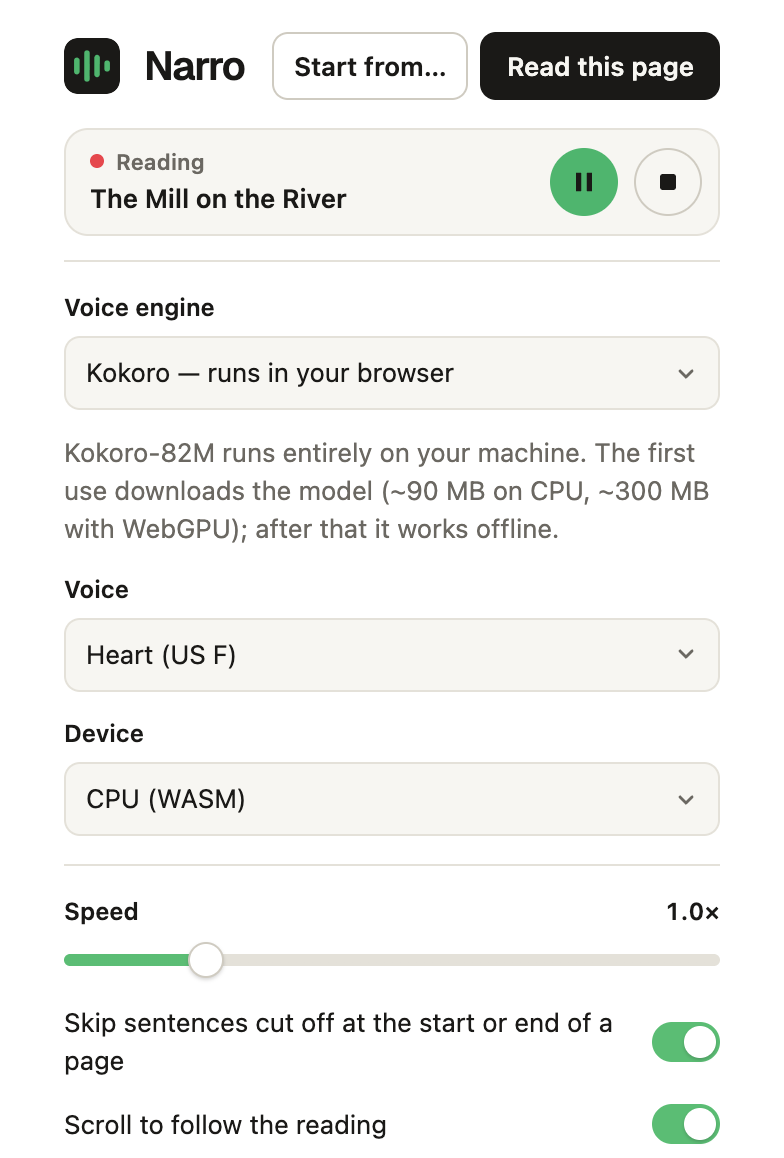
In your browser
No account, works offline after a one-time download. Nothing you read leaves your computer.
- KokoroThe default · ~90 MB
- Supertonic 25 languages, 10 voices · ~260 MB
- PiperMany languages · ~60 MB per voice
- Kitten TTS Nano8 English voices · 28 MB
Cloud
The most expressive voices, using your own API key.
- OpenAIWith style instructions
- ElevenLabsYour own voice library
- Google Gemini30 voices
- OpenRouterOne key, many providers
Other
Bring your own setup.
- Local serverAny OpenAI-compatible speech server
- System voicesYour computer's built-in voices
Made for actually reading
- Follow along. Each sentence is highlighted as it's spoken, and the page scrolls with you.
- Natural rhythm. Sentences are voiced together, so the voice doesn't reset at every full stop.
- Start anywhere. Pick a sentence with Start from…, or select text and right-click.
- Picks up where you left off. Narro remembers your place on every page.
- Control it from any tab. Pause or stop from the toolbar; a red ▶︎ shows while it plays.
- Books too. Reads Kindle Cloud Reader pages with on-device text recognition and turns the pages for you.
Listen to your Kindle books
Kindle Cloud Reader shows book pages as pictures, not text, so most read-aloud tools can't read them. Narro recognises the words on the page you can see, on your own computer, and reads them with your chosen voice.
- Recognises the pageText recognition (Tesseract) runs in your browser. The page image never leaves your computer.
- Reads it aloudWith the same highlighting and voices as any other page.
- Turns the pageNarro presses Kindle's Next page button and carries on, chapter after chapter.
- No gap at the page turn: the next page is recognised while the last sentence is still playing.
- A sentence split across two pages or columns is spoken once, in full.
- Turn the page yourself and Narro reads the new one.
- Keeps reading when the Kindle tab is behind another window.
- Works on Kindle Cloud Reader in every Amazon store (read.amazon.com, .co.uk, .in, .de and more). English text only for now.
Narro is an independent project, not affiliated with or endorsed by Amazon. Kindle is a trademark of Amazon.com, Inc. Narro only reads pages you have open yourself, but automated use of Kindle Cloud Reader may be restricted by Amazon's terms, so check that your use complies with them.
Private by default
- With an in-browser voice, nothing you read leaves your computer.
- With a cloud voice, the text goes only to the provider you chose, under your own account.
- API keys stay in your browser and are never synced.
- No analytics, no accounts, no servers of our own.
Install Narro
Narro is free on the Chrome Web Store. Add it to Chrome, then click the Narro icon on any page and press Read this page.
Or build it from source
To try the latest changes before they reach the store. Building takes about a minute.
-
Get the code and build it (needs Node.js):
git clone https://github.com/swrdfish/Narro.git
cd Narro
npm install
npm run build
Open
chrome://extensionsand turn on Developer mode.Click Load unpacked and choose the
distfolder.Click the Narro icon on any page and press Read this page.